Wi-Watch A91.3.1
Publisher Description
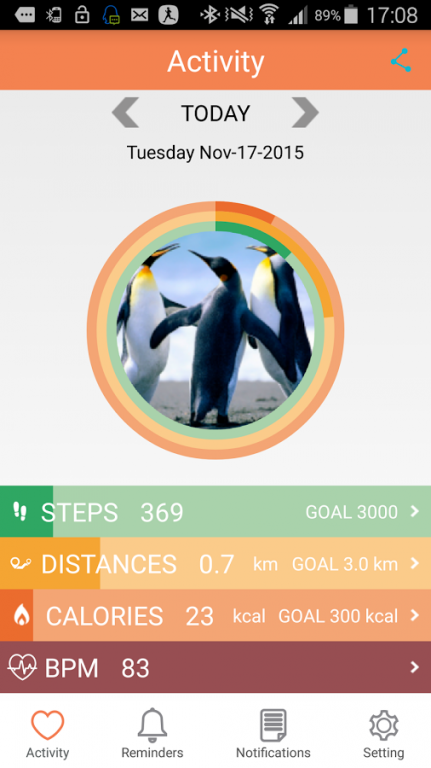
Product Introduction:
Compatible with both iOS and Android system
Perfectly adapted with the standard specifications of sizes 22mm strap
Matching your style, freely allocate your watch with various straps at your choice
Aviation class materials, CNC High-Strength Machining
Super-strength LED glass,processed by the 3D crafting technology
Waterproof level IP56, sweat protection, outdoor 1st choice
Communication and Health Management function
FOTA distal firmware update technology, a variety of self-developed software applications
Product Specification:
LCD:1.54 inch IPS 240*240 Pixel;Size : 42 * 39.8 * 10.9 mm;Weight : 50g
Talking time : 3hr;Standby time : 72hr;Capacitive TP ; OS : Nucleus
Chipset : MTK 2502C;Memory : 128 Mb ROM;Bluetooth : BT4.0
Sensor : 3-axis Sensor;Battery : 250 mAh Lithium ; Data Transmit: Pogo Pin
Main Function : BT Phone Call, Smart Synchronize,Pedometer, Heart Rate Monitor, Notification (SMS、E-Mail、FB,Twitter, Weather)
About Wi-Watch A9
The company that develops Wi-Watch A9 is WirelessMe. The latest version released by its developer is 1.3.1. This app was rated by 1 users of our site and has an average rating of 3.5.
To install Wi-Watch A9 on your Android device, just click the green Continue To App button above to start the installation process. The app is listed on our website since 2016-06-21 and was downloaded 121 times. We have already checked if the download link is safe, however for your own protection we recommend that you scan the downloaded app with your antivirus. Your antivirus may detect the Wi-Watch A9 as malware as malware if the download link to com.smartwatch.A9 is broken.
How to install Wi-Watch A9 on your Android device:
- Click on the Continue To App button on our website. This will redirect you to Google Play.
- Once the Wi-Watch A9 is shown in the Google Play listing of your Android device, you can start its download and installation. Tap on the Install button located below the search bar and to the right of the app icon.
- A pop-up window with the permissions required by Wi-Watch A9 will be shown. Click on Accept to continue the process.
- Wi-Watch A9 will be downloaded onto your device, displaying a progress. Once the download completes, the installation will start and you'll get a notification after the installation is finished.
